Just a moment, logging you in...
https://store-images.s-microsoft.com/image/apps.29688.be5a0206-bf45-4660-b5f4-f8ed13f6f544.84bae69a-0adf-4911-9a75-8867a6a93ca2.a69fc5ab-99fb-41a3-8d13-2c12b1af2552
HubSpot and Microsoft Exchange Online Integration
IT Partner LLC
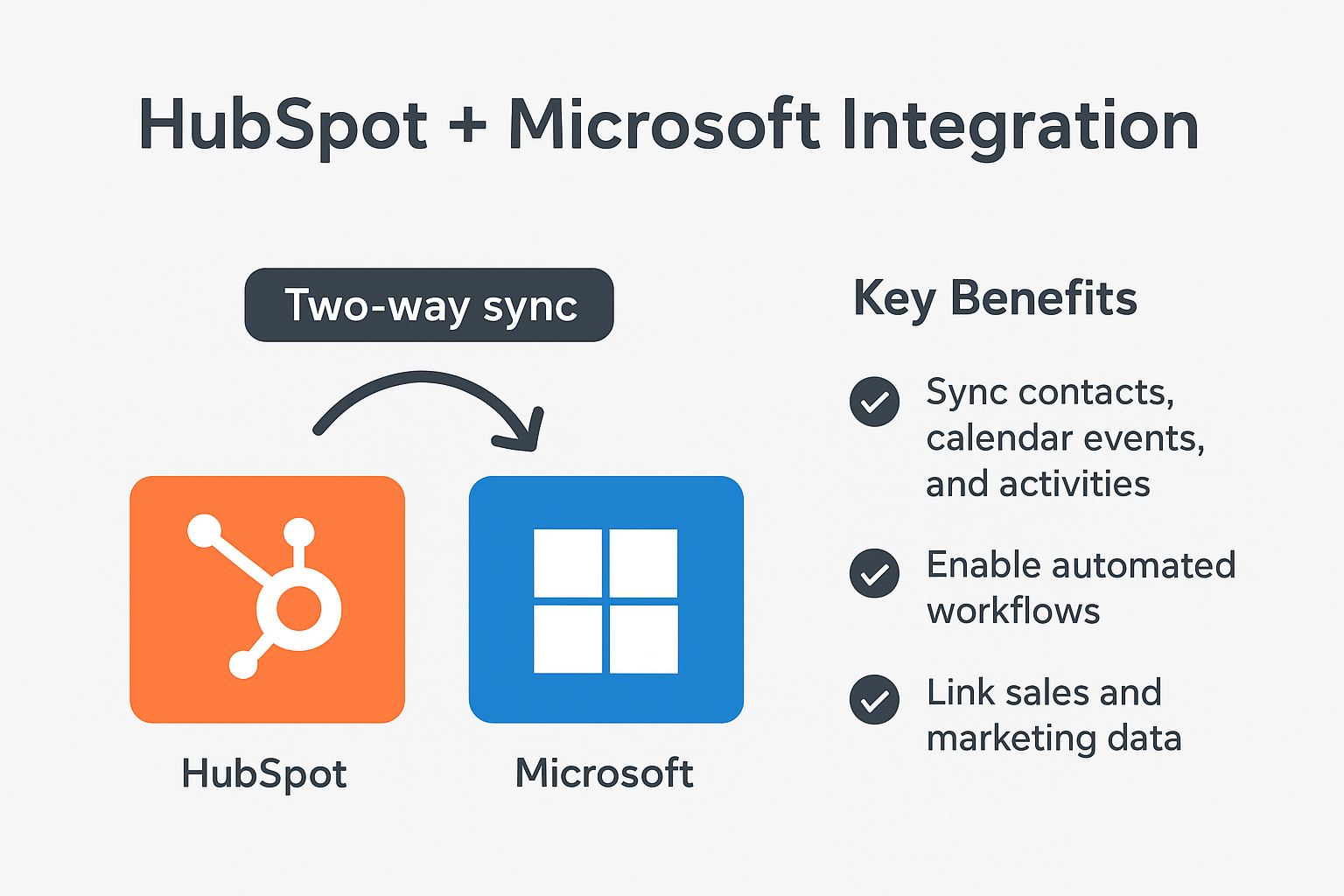
Automatically sync HubSpot with Microsoft Exchange to log emails, track communications, and sync calendars—eliminating manual data entry between platforms.
Automatically sync HubSpot with Microsoft Exchange to log emails, track communications, and sync calendars—eliminating manual data entry between platforms.
📧 Sync HubSpot with Microsoft Exchange Online for Smarter Marketing Workflows
Manage campaigns and customer communications directly from Outlook.
Coordinating marketing activities between HubSpot and email can lead to missed opportunities and communication gaps.
Our HubSpot + Microsoft Exchange Online Integration automates key marketing workflows—keeping your Outlook and HubSpot platforms perfectly aligned.
🔹 What This Integration Does
We connect Microsoft Exchange Online with HubSpot to:
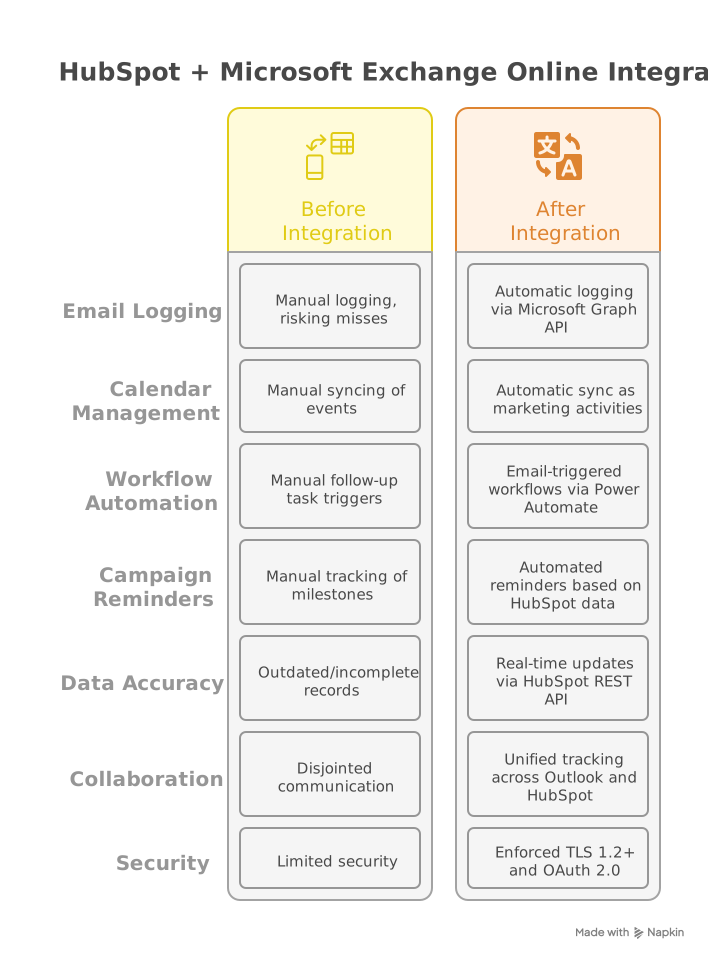
- Log emails and track communications directly to HubSpot contacts and companies
- Automatically sync calendar events with HubSpot marketing activities
- Enable email-triggered workflows (flag emails to create follow-up tasks)
- Send automated reminders for campaign milestones based on HubSpot data
- Build custom workflows to route approvals via Power Automate
📊 Why It Matters
Without automation:
- Customer communications get lost in email threads
- Manual data entry leads to outdated HubSpot records
- Teams waste time switching between tools
With this integration:
✅ Log emails and meetings automatically — no manual entry
✅ Sync calendars and marketing activities — keep timelines aligned
✅ Trigger workflows from Outlook — streamline follow-ups
🌟 Key Benefits
- Centralize marketing communication and engagement data
- Reduce manual data entry between Outlook and HubSpot
- Accelerate campaign execution with automated reminders
- Improve collaboration between marketing and sales teams
- Ensure marketing data accuracy across platforms
⚙️ How It Works
We connect Exchange Online with HubSpot using:
- Microsoft Graph API for secure mail and calendar access
- HubSpot REST API for updating contact records and activities
- Power Automate for building custom automation flows
- HubSpot's Email Events API for comprehensive tracking
Sample automations:
- Marketing emails → logged to HubSpot contacts and campaigns
- Calendar events → synced as HubSpot marketing activities
- Flagged emails → create HubSpot tasks for follow-up
Note: Custom workflows can be tailored to your marketing processes.
Security: All integrations use TLS 1.2+ and OAuth 2.0 authentication.
📆 Who Should Use This?
- Marketing teams using HubSpot + Outlook for campaign management
- Marketing managers needing real-time visibility into campaign progress
- Companies wanting to automate marketing data entry and follow-ups
- Organizations seeking unified communication tracking

🏆 Why Choose IT Partner LLC
- Extensive Exchange Online and integration expertise
- HubSpot API Specialists with marketing automation knowledge
- Deep expertise in workflow automation and CRM optimization
- Full delivery lifecycle: design → build → deploy → support
- 24/7 monitoring for ongoing integration performance
- Security-first approach with compliance-ready implementation

💬 What's Next?
Let's explore how we can simplify your marketing workflows and automate campaign management.
Transform your marketing operations with seamless HubSpot and Exchange Online integration.
概要
https://store-images.s-microsoft.com/image/apps.28883.be5a0206-bf45-4660-b5f4-f8ed13f6f544.84bae69a-0adf-4911-9a75-8867a6a93ca2.bb40008d-db46-4c60-abd5-b2464268dfa7
IT Partner LLC が提供するその他のコンサルティング サービス
Copilot for Microsoft 365 Optimization Assessment: 1-Hour Consulting ServiceIT Partner LLCEmpower digital transformation journey with Microsoft Copilot Optimization Assessment to elevate productivity, streamline workflows, and maximize AI utilization for impactful business growth.
+3
Applicable to: Adoption & Change Management
 Knowledge & Insights
 Workplace Analytics
Adoption & Change ManagementKnowledge & InsightsWorkplace AnalyticsNaN out of 5
Full Cutover Google Workspace to Office 365 migration: 7-Days Professional ServiceIT Partner LLCMigrate G Suite (Google Apps) to Microsoft 365, transferring mailboxes, calendars, tasks, contacts, files, and documents seamlessly to Exchange Online and OneDrive.
+3
Applicable to:Adoption & Change Management Identity & Access Management
 Mobile Device Management
Adoption & Change ManagementIdentity & Access ManagementMobile Device ManagementNaN out of 5
Chief Information Officer (CIO) as a Service: 1-Day Consulting ServiceIT Partner LLCProvide organizations with strategic technology leadership and guidance, ensuring effective utilization of IT resources and alignment with business objectives.
+3
Applicable to:Adoption & Change ManagementKnowledge & InsightsWorkplace Analytics
Adoption & Change ManagementKnowledge & InsightsWorkplace AnalyticsNaN out of 5
Microsoft Teams Phone System - Initial Setup: 2-Wk Professional ServiceIT Partner LLCWe will help you deploy, configure, and set up the Cloud Phone System & Enterprise Voice in Microsoft 365.
+3
Applicable to:Adoption & Change Management Calling for Microsoft Teams
 Device Deployment & Management
Adoption & Change ManagementCalling for Microsoft TeamsDevice Deployment & ManagementNaN out of 5
Office 365 Administrator On DemandIT Partner LLCAssistance with various admin tasks, such as user creation and Exchange Online rule management in your Microsoft 365 account is available via phone, Skype for Business, or remotely.
+3
Applicable to:Adoption & Change ManagementKnowledge & InsightsWorkplace Analytics
Adoption & Change ManagementKnowledge & InsightsWorkplace AnalyticsNaN out of 5