Just a moment, logging you in...
https://store-images.s-microsoft.com/image/apps.29688.3b33c846-2379-4211-a8f6-5b23a835e950.d280ac7d-1abe-4d92-abb1-31cfcbed3d3f.43019a32-8435-40f8-a4df-cb6f1482e4f1
Salesforce and Microsoft Teams Integration
IT Partner LLC
Link Salesforce with Teams to automate deal alerts, centralize approvals, and boost sales collaboration via Power Automate. Pricing/timeline customized post-scoping.
Link Salesforce with Teams to automate deal alerts, centralize approvals, and boost sales collaboration via Power Automate. Pricing/timeline customized post-scoping.
💬 Salesforce + Microsoft Teams Integration
Accelerate deals and streamline approvals — right in Teams.
Switching between Salesforce and Teams delays responses and creates visibility gaps for sales teams.
With IT Partner's Salesforce + Microsoft Teams Integration, your team can:
- Get real-time deal alerts in Teams channels when opportunities change stage
- Approve discounts/contracts directly from Teams messages
- Collaborate on accounts with Salesforce data embedded in Teams chats
🔗 What This Integration Does
We connect Microsoft Teams with Salesforce to enable:
- Automated opportunity alerts in Teams channels (e.g., "Deal moved to Proposal!")
- Approval workflows triggered from Teams that update Salesforce records
- Teams tabs with Salesforce data (Accounts, Opportunities)
- @mentions in Teams that create Salesforce tasks
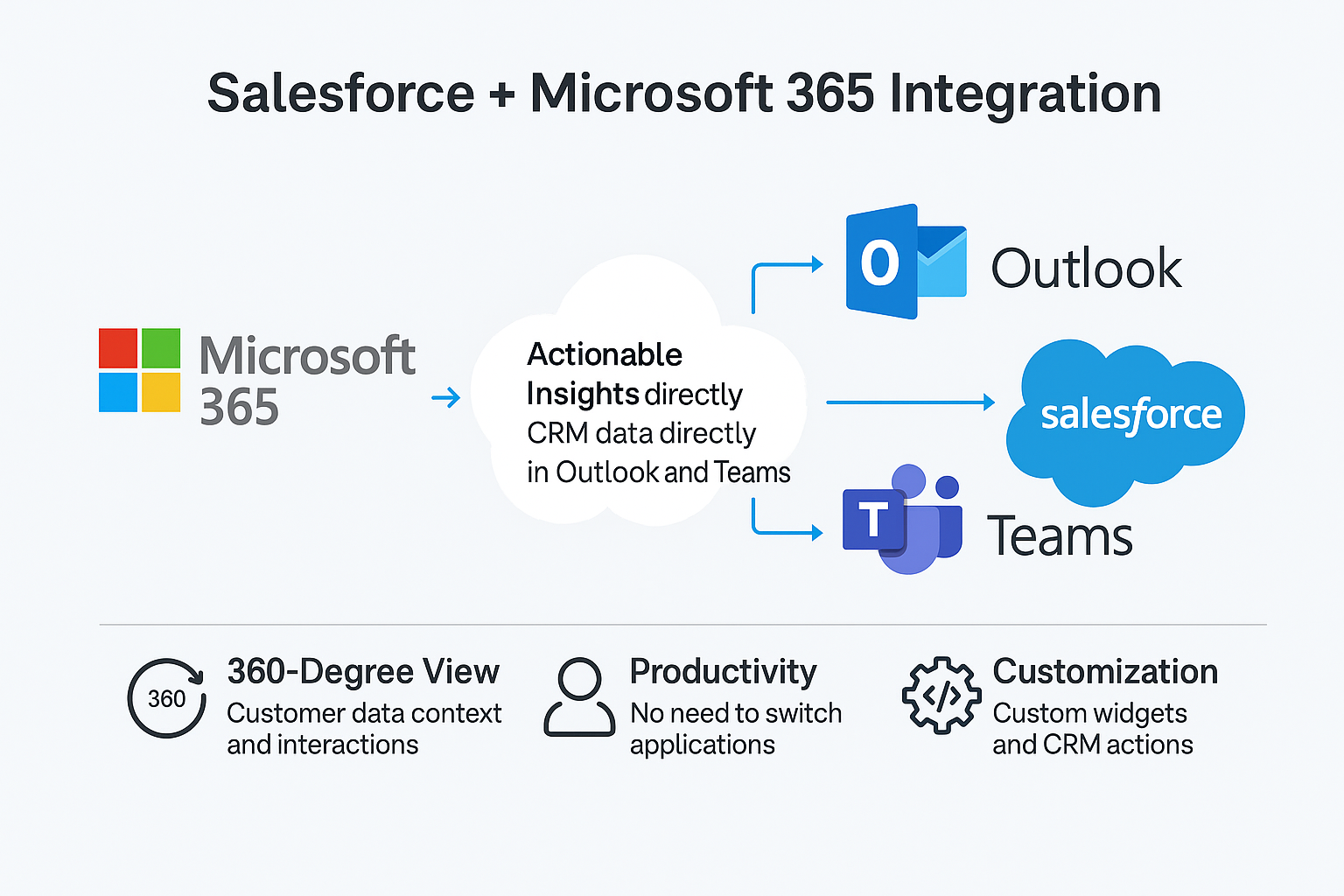
💡 Why It Matters
Without integration:
- Sales reps spend just 28% of their time selling; the rest goes toward admin and tool switching. (Salesforce State of Sales, 2024)
- Most teams use 10 tools to close deals, and 66% of reps report being overwhelmed by tool switching. (Salesforce Research, 2023)
- Only 35% of sales professionals fully trust their data, highlighting data quality issues that slow down decision-making. (salesforcedevops.net)
With integration:
- ✅ Real-time deal visibility in Teams
- ✅ One-click approvals that update Salesforce
- ✅ Reduced app-switching with embedded CRM data
🚀 Key Benefits
- Faster deal cycles (reduced response time to critical updates)
- Centralized collaboration with Salesforce context in Teams
- Secure approvals using Azure AD permissions
- Customizable alerts for stage changes, @mentions, or SLA breaches
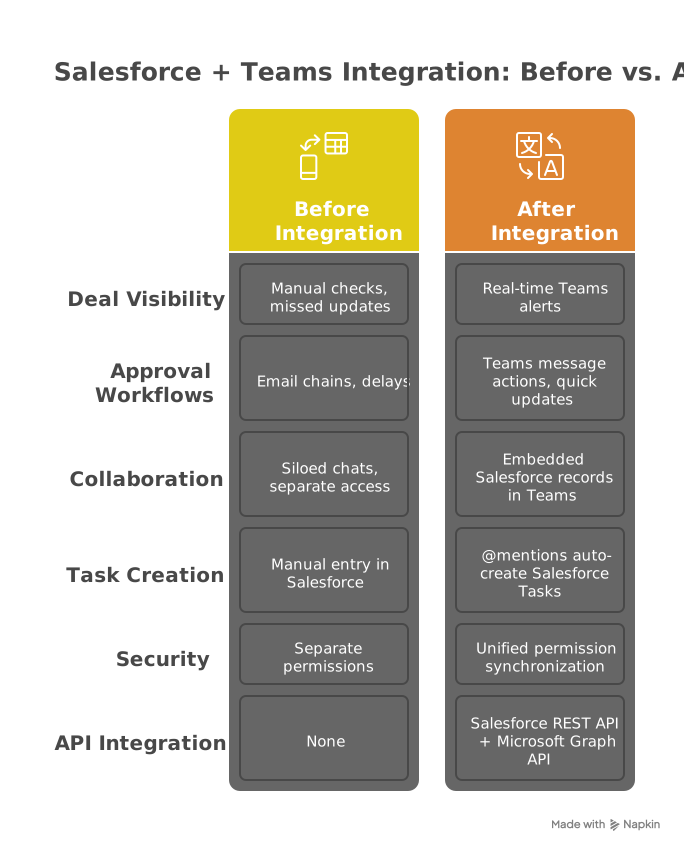
⚙️ How It Works
- Build Power Automate flows using:
- Salesforce REST API for record updates
- Teams webhooks for notifications
- Embed Salesforce tabs in Teams channels
- Set up approval workflows:
- Teams message → Salesforce update
- E-signature collection via Teams
Technical Notes:
- Uses Salesforce Platform Events for near real-time alerts (<5 sec delay)
- Requires Power Automate Premium for custom connectors
- Supports Salesforce Lightning and Classic
🎯 Who's This For?
- Sales teams using Salesforce and Teams daily
- Sales ops needing real-time deal visibility
- Legal/Finance teams approving contracts

🏆 Why Choose IT Partner
- Salesforce Certified + Microsoft Solutions Experts
- Pre-built templates for common sales workflows
- End-to-end security with Azure AD integration

💬 What's Next?
Let’s connect your sales and collaboration tools:
概要
https://store-images.s-microsoft.com/image/apps.28883.3b33c846-2379-4211-a8f6-5b23a835e950.d280ac7d-1abe-4d92-abb1-31cfcbed3d3f.c7835f7e-03c0-4c04-bfdb-f22f1d88af21
IT Partner LLC が提供するその他のコンサルティング サービス
Copilot for Microsoft 365 Optimization Assessment: 1-Hour Consulting ServiceIT Partner LLCEmpower digital transformation journey with Microsoft Copilot Optimization Assessment to elevate productivity, streamline workflows, and maximize AI utilization for impactful business growth.
+3
Applicable to: Adoption & Change Management
 Knowledge & Insights
 Workplace Analytics
Adoption & Change ManagementKnowledge & InsightsWorkplace AnalyticsNaN out of 5
Full Cutover Google Workspace to Office 365 migration: 7-Days Professional ServiceIT Partner LLCMigrate G Suite (Google Apps) to Microsoft 365, transferring mailboxes, calendars, tasks, contacts, files, and documents seamlessly to Exchange Online and OneDrive.
+3
Applicable to:Adoption & Change Management Identity & Access Management
 Mobile Device Management
Adoption & Change ManagementIdentity & Access ManagementMobile Device ManagementNaN out of 5
Chief Information Officer (CIO) as a Service: 1-Day Consulting ServiceIT Partner LLCProvide organizations with strategic technology leadership and guidance, ensuring effective utilization of IT resources and alignment with business objectives.
+3
Applicable to:Adoption & Change ManagementKnowledge & InsightsWorkplace Analytics
Adoption & Change ManagementKnowledge & InsightsWorkplace AnalyticsNaN out of 5
Microsoft Teams Phone System - Initial Setup: 2-Wk Professional ServiceIT Partner LLCWe will help you deploy, configure, and set up the Cloud Phone System & Enterprise Voice in Microsoft 365.
+3
Applicable to:Adoption & Change Management Calling for Microsoft Teams
 Device Deployment & Management
Adoption & Change ManagementCalling for Microsoft TeamsDevice Deployment & ManagementNaN out of 5
Office 365 Administrator On DemandIT Partner LLCAssistance with various admin tasks, such as user creation and Exchange Online rule management in your Microsoft 365 account is available via phone, Skype for Business, or remotely.
+3
Applicable to:Adoption & Change ManagementKnowledge & InsightsWorkplace Analytics
Adoption & Change ManagementKnowledge & InsightsWorkplace AnalyticsNaN out of 5