Just a moment, logging you in...
https://store-images.s-microsoft.com/image/apps.29688.24794bdb-a471-4a3e-9467-f22a6e2c325c.71cf68f1-de92-45cb-a2a6-d9738de2c59c.8b043d08-35a9-48dd-a9d8-25a4bf7834a8
HubSpot and Microsoft Outlook Integration
IT Partner LLC
Automate HubSpot email logging and calendar sync directly from Microsoft Outlook to eliminate manual data entry and accelerate marketing campaign execution.
Automate HubSpot email logging and calendar sync directly from Microsoft Outlook to eliminate manual data entry and accelerate marketing campaign execution.
+++ title = "HubSpot + Microsoft Outlook Integration" description = "Connect HubSpot with Microsoft Outlook to automate marketing updates, track customer communications, and accelerate campaign execution—all from your inbox. Pricing and timeline are customized after scoping." date = 2025-07-30
[taxonomies] products = ["Microsoft 365", "Microsoft Outlook", "HubSpot"] types = ["API Integration", "Implementation"]
[extra] sku = "ITPWW100DEVOT" price = "Price on request" duration = "Duration varies by project" manager = "Roman Sotnik" +++
📬 IT Partner's HubSpot + Microsoft Outlook Integration
Execute campaigns faster—without leaving Outlook.
Tired of switching between Outlook and HubSpot to log emails or track marketing interactions?
With our HubSpot + Microsoft Outlook Integration, your team can log emails, sync calendars, and trigger workflows directly from Outlook—eliminating manual data entry and accelerating marketing execution.
🔄 What This Integration Does
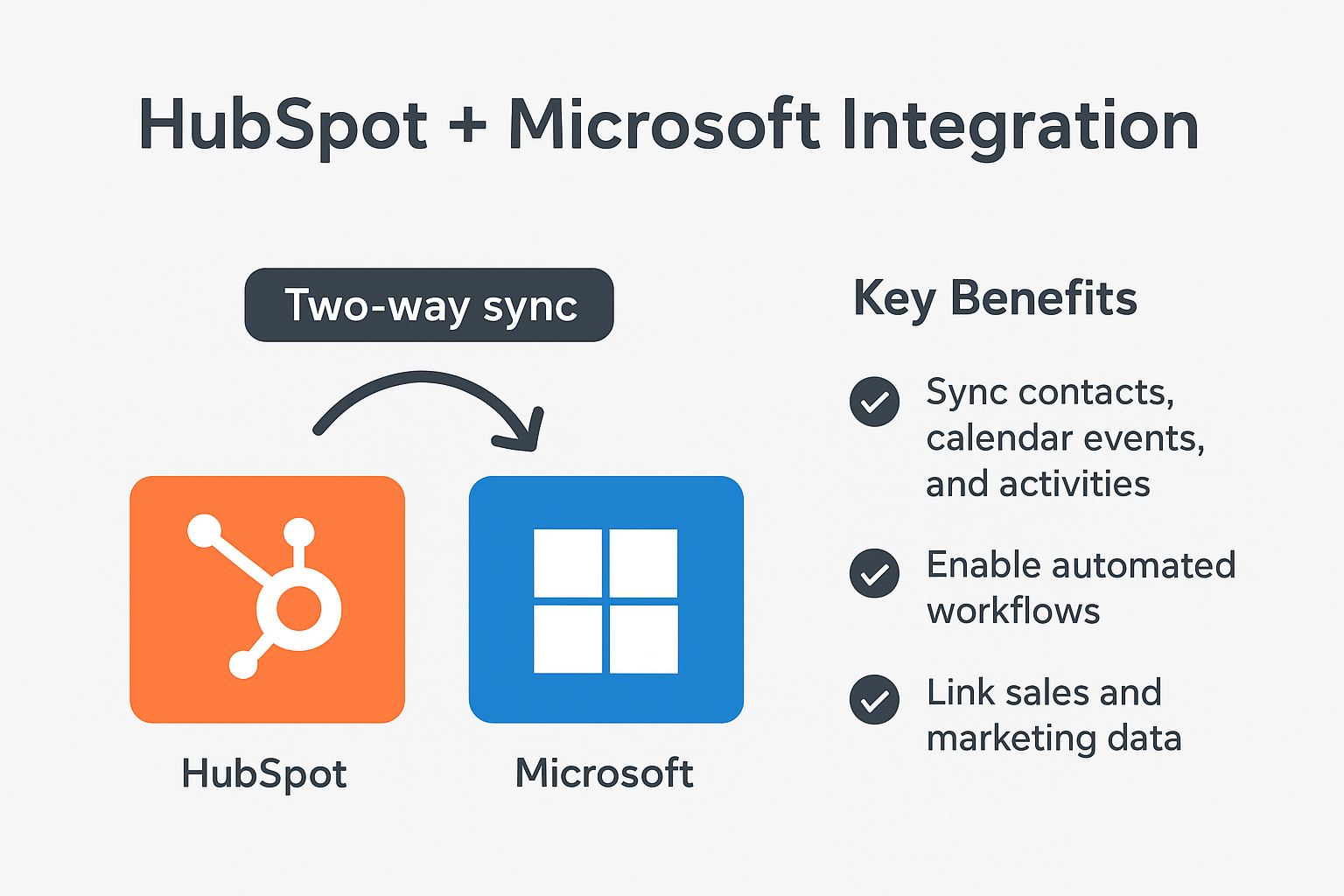
We connect Microsoft Outlook with HubSpot, enabling your team to:
- Log emails to HubSpot automatically (attached to Contacts, Companies, or Deals)
- Sync Outlook calendars with HubSpot Marketing Events and Tasks
- Trigger marketing workflows from flagged emails or calendar events
- Embed actionable buttons in Outlook (e.g., "Log to HubSpot")
- Build advanced automations using Power Automate
📌 Why It Matters
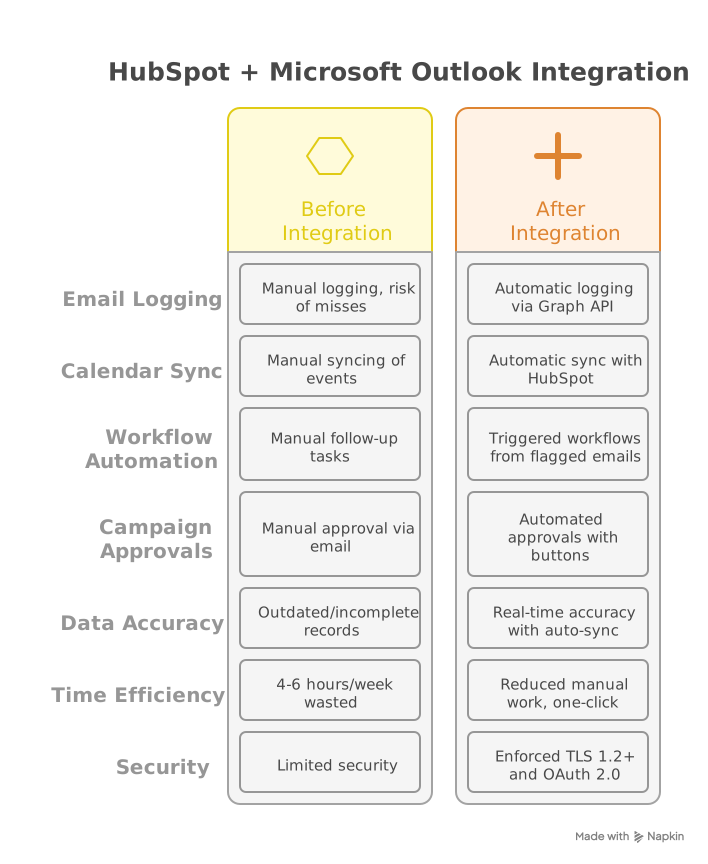
Without integration:
- Teams waste hours on manual CRM updates
- Campaign approvals stall in email chains
- Customer data remains siloed across platforms
With this integration:
- ✅ Log emails/meetings with one click
- ✅ Automate follow-ups and approvals from Outlook
- ✅ Keep HubSpot data accurate in real-time
🚀 Key Benefits
- Reduce manual work: Eliminate double-entry between platforms
- Shorten campaign cycles: Trigger actions directly from emails
- Improve data accuracy: Auto-sync customer communications
- Enhance visibility: Full engagement history in HubSpot
- Increase marketing ROI: More time on strategy, less on admin work
⚙️ How It Works
- Connect HubSpot to Outlook using Microsoft Graph API and HubSpot REST API
- Log emails/events to HubSpot via Power Automate
- Trigger workflows: Flagged emails create HubSpot Tasks
- Sync calendar events as Marketing Activities
Note: Uses HubSpot's Email Events API for comprehensive tracking. Custom properties fully supported.
Security: All integrations use TLS 1.2+ and OAuth 2.0 authentication.
🎯 Who's This For?
- Marketing teams using HubSpot and Outlook daily
- Marketing managers needing real-time campaign visibility
- Operations teams tired of manual data synchronization
- Organizations wanting unified customer engagement tracking

🏆 Why Choose IT Partner LLC
- HubSpot Certified Experts with deep integration experience
- API-first approach: Secure, scalable integrations using REST/OAuth 2.0
- End-to-end service: Design → deploy → support → optimize
- 24/7 monitoring: Continuous performance tracking
- Marketing automation specialists: Deep workflow expertise

💬 What's Next?
Let's automate your marketing workflows and eliminate manual data entry.
Transform your marketing operations with seamless HubSpot and Outlook integration.
概要
https://store-images.s-microsoft.com/image/apps.28883.24794bdb-a471-4a3e-9467-f22a6e2c325c.71cf68f1-de92-45cb-a2a6-d9738de2c59c.b6f88c87-26a6-43b3-887b-68600b50ffa1
IT Partner LLC が提供するその他のコンサルティング サービス
Copilot for Microsoft 365 Optimization Assessment: 1-Hour Consulting ServiceIT Partner LLCEmpower digital transformation journey with Microsoft Copilot Optimization Assessment to elevate productivity, streamline workflows, and maximize AI utilization for impactful business growth.
+3
Applicable to: Adoption & Change Management
 Knowledge & Insights
 Workplace Analytics
Adoption & Change ManagementKnowledge & InsightsWorkplace AnalyticsNaN out of 5
Full Cutover Google Workspace to Office 365 migration: 7-Days Professional ServiceIT Partner LLCMigrate G Suite (Google Apps) to Microsoft 365, transferring mailboxes, calendars, tasks, contacts, files, and documents seamlessly to Exchange Online and OneDrive.
+3
Applicable to:Adoption & Change Management Identity & Access Management
 Mobile Device Management
Adoption & Change ManagementIdentity & Access ManagementMobile Device ManagementNaN out of 5
Chief Information Officer (CIO) as a Service: 1-Day Consulting ServiceIT Partner LLCProvide organizations with strategic technology leadership and guidance, ensuring effective utilization of IT resources and alignment with business objectives.
+3
Applicable to:Adoption & Change ManagementKnowledge & InsightsWorkplace Analytics
Adoption & Change ManagementKnowledge & InsightsWorkplace AnalyticsNaN out of 5
Microsoft Teams Phone System - Initial Setup: 2-Wk Professional ServiceIT Partner LLCWe will help you deploy, configure, and set up the Cloud Phone System & Enterprise Voice in Microsoft 365.
+3
Applicable to:Adoption & Change Management Calling for Microsoft Teams
 Device Deployment & Management
Adoption & Change ManagementCalling for Microsoft TeamsDevice Deployment & ManagementNaN out of 5
Office 365 Administrator On DemandIT Partner LLCAssistance with various admin tasks, such as user creation and Exchange Online rule management in your Microsoft 365 account is available via phone, Skype for Business, or remotely.
+3
Applicable to:Adoption & Change ManagementKnowledge & InsightsWorkplace Analytics
Adoption & Change ManagementKnowledge & InsightsWorkplace AnalyticsNaN out of 5