Just a moment, logging you in...
https://store-images.s-microsoft.com/image/apps.29688.c326eb5b-8210-44f1-8df7-4cf225cc75c5.43e476c2-2183-4ec5-bb63-ea543fc2f1cf.b6d551db-e5d3-4655-a0ee-56e5484b8b04
Asana and Microsoft Entra ID Integration
IT Partner LLC
This service automates user identity management between Microsoft Entra ID and Asana, enabling seamless SSO, provisioning, and access control to enhance security and reduce IT overhead.
This service automates user identity management between Microsoft Entra ID and Asana, enabling seamless SSO, provisioning, and access control to enhance security and reduce IT overhead.
🔐 Automate Identity Management in Asana with Microsoft Entra ID.
Provision users once. Manage access everywhere.
Tired of manually adding users to projects, revoking access when someone leaves, or keeping track of who belongs where in Asana?
With IT Partner’s Asana + Microsoft Entra ID Integration, you can automate the entire user identity lifecycle—seamlessly and securely—so your IT team can focus on growth, not admin work.
🧩 What This Integration Does
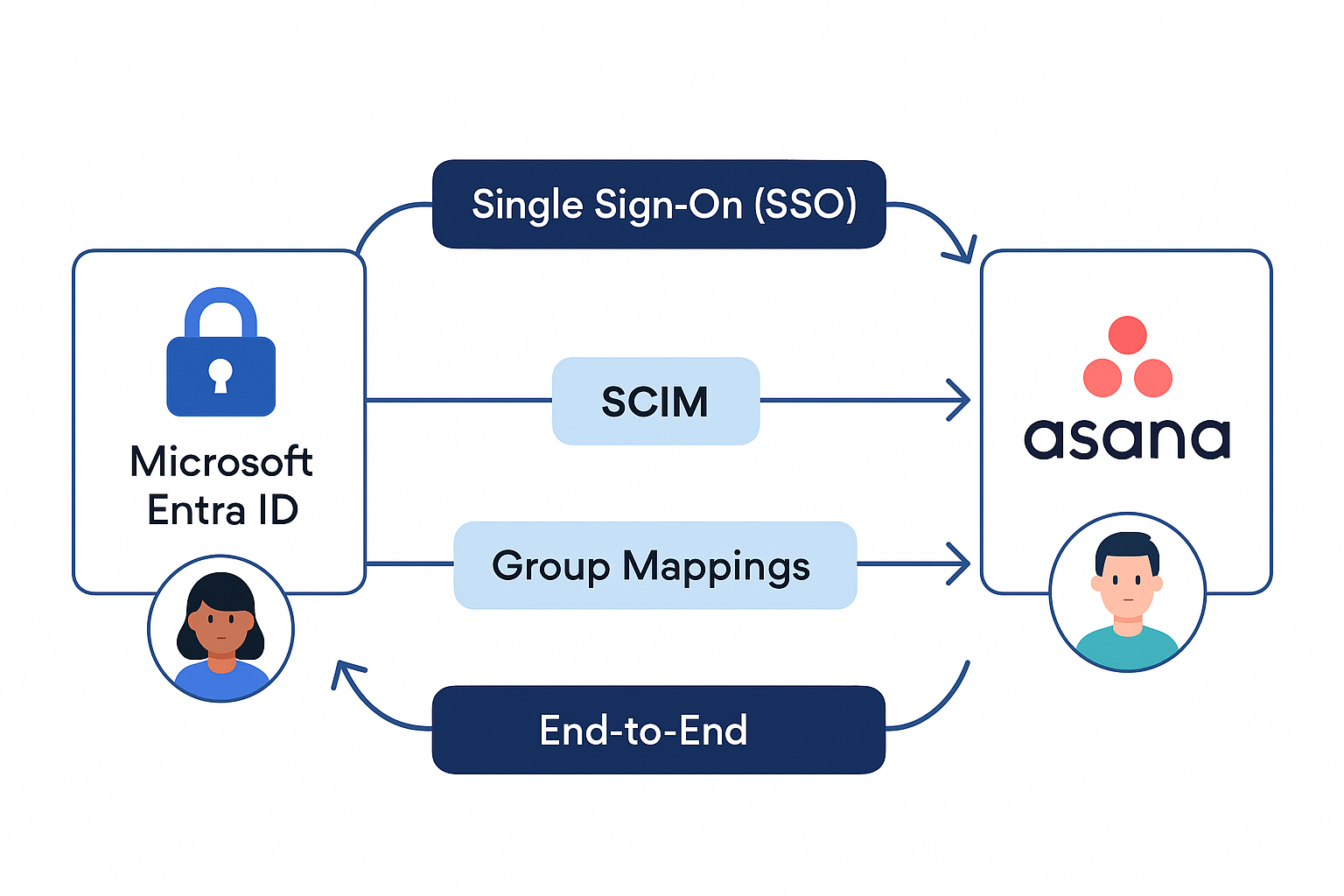
We connect your Asana workspace to Microsoft Entra ID (formerly Azure AD) using secure, enterprise-grade APIs. This enables:
- Single Sign-On (SSO) via SAML 2.0
- Automatic provisioning and deprovisioning of users using SCIM 2.0
- Group-based access mapping from Entra ID to Asana teams
- Conditional Access Policies and Multi-Factor Authentication (MFA) enforcement
💡 Why It Matters
Without centralized identity management:
- Users gain unauthorized access long after they’ve left a team
- Onboarding delays slow productivity
- IT wastes time on repetitive provisioning tasks
With this integration:
✅ Onboarding is instant — users are assigned to the right projects automatically
✅ Offboarding is secure — access is revoked the moment a user leaves
✅ Compliance is simplified — with enforced MFA and audit-ready logs
🚀 Key Benefits
- Reduce manual workload for IT and HR teams
- Eliminate identity-related security risks in Asana
- Ensure the right people have the right access — at all times
- Improve onboarding speed and consistency
- Support regulatory compliance and audit readiness
⚙️ How It Works
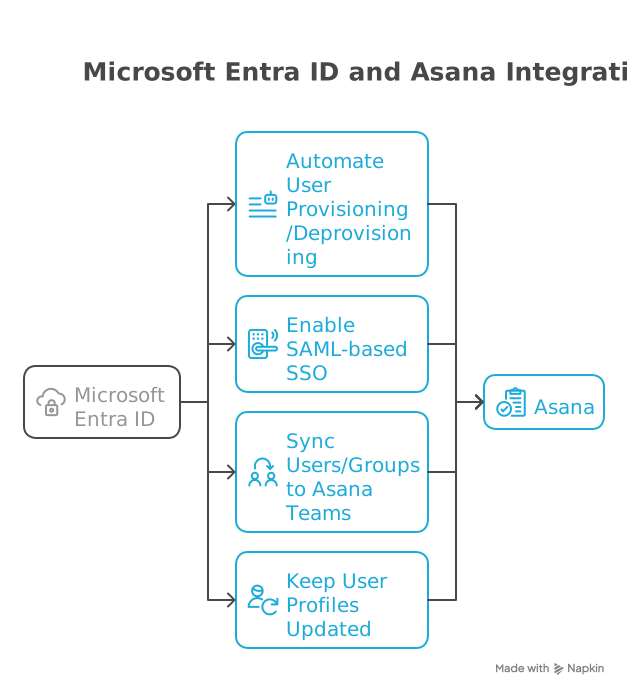
Our certified integration specialists configure the connection between your Entra ID and Asana Enterprise workspace, tailoring the sync logic to your structure:
- SSO Configuration via Entra ID (SAML 2.0)
- SCIM Provisioning Setup for auto-creating and disabling user accounts
- Group-to-Team Mapping using custom logic
- Conditional Access Policies enforced via Entra ID
We use tools like Azure Logic Apps or Power Automate to keep everything running smoothly in the background.
🎯 Who’s This For?
- Growing companies using Asana Enterprise
- IT teams looking to automate user access
- Organizations prioritizing security, compliance, and scale

🏆 Why Choose IT Partner LLC
-
- Microsoft 365 Certified Experts with Entra ID specialization
- 15+ years of experience in secure SaaS integrations
- Focus on business continuity and low-friction automation
- End-to-end delivery: discovery → implementation → support

💬 What’s Next?
Let’s schedule a short call to understand your setup and show you how this integration can save time and reduce risk.
Auf einen Blick
https://store-images.s-microsoft.com/image/apps.28883.c326eb5b-8210-44f1-8df7-4cf225cc75c5.43e476c2-2183-4ec5-bb63-ea543fc2f1cf.99e3908e-1eb1-4f2a-999b-7bdf271ecf0a
Weitere Beratungsdienste von IT Partner LLC
Copilot for Microsoft 365 Optimization Assessment: 1-Hour Consulting ServiceIT Partner LLCEmpower digital transformation journey with Microsoft Copilot Optimization Assessment to elevate productivity, streamline workflows, and maximize AI utilization for impactful business growth.
+3
Applicable to: Adoption & Change Management
 Knowledge & Insights
 Workplace Analytics
Adoption & Change ManagementKnowledge & InsightsWorkplace AnalyticsNaN out of 5
Full Cutover Google Workspace to Office 365 migration: 7-Days Professional ServiceIT Partner LLCMigrate G Suite (Google Apps) to Microsoft 365, transferring mailboxes, calendars, tasks, contacts, files, and documents seamlessly to Exchange Online and OneDrive.
+3
Applicable to:Adoption & Change Management Identity & Access Management
 Mobile Device Management
Adoption & Change ManagementIdentity & Access ManagementMobile Device ManagementNaN out of 5
Chief Information Officer (CIO) as a Service: 1-Day Consulting ServiceIT Partner LLCProvide organizations with strategic technology leadership and guidance, ensuring effective utilization of IT resources and alignment with business objectives.
+3
Applicable to:Adoption & Change ManagementKnowledge & InsightsWorkplace Analytics
Adoption & Change ManagementKnowledge & InsightsWorkplace AnalyticsNaN out of 5
Microsoft Teams Phone System - Initial Setup: 2-Wk Professional ServiceIT Partner LLCWe will help you deploy, configure, and set up the Cloud Phone System & Enterprise Voice in Microsoft 365.
+3
Applicable to:Adoption & Change Management Calling for Microsoft Teams
 Device Deployment & Management
Adoption & Change ManagementCalling for Microsoft TeamsDevice Deployment & ManagementNaN out of 5
Office 365 Administrator On DemandIT Partner LLCAssistance with various admin tasks, such as user creation and Exchange Online rule management in your Microsoft 365 account is available via phone, Skype for Business, or remotely.
+3
Applicable to:Adoption & Change ManagementKnowledge & InsightsWorkplace Analytics
Adoption & Change ManagementKnowledge & InsightsWorkplace AnalyticsNaN out of 5